



by Fernando Seymour
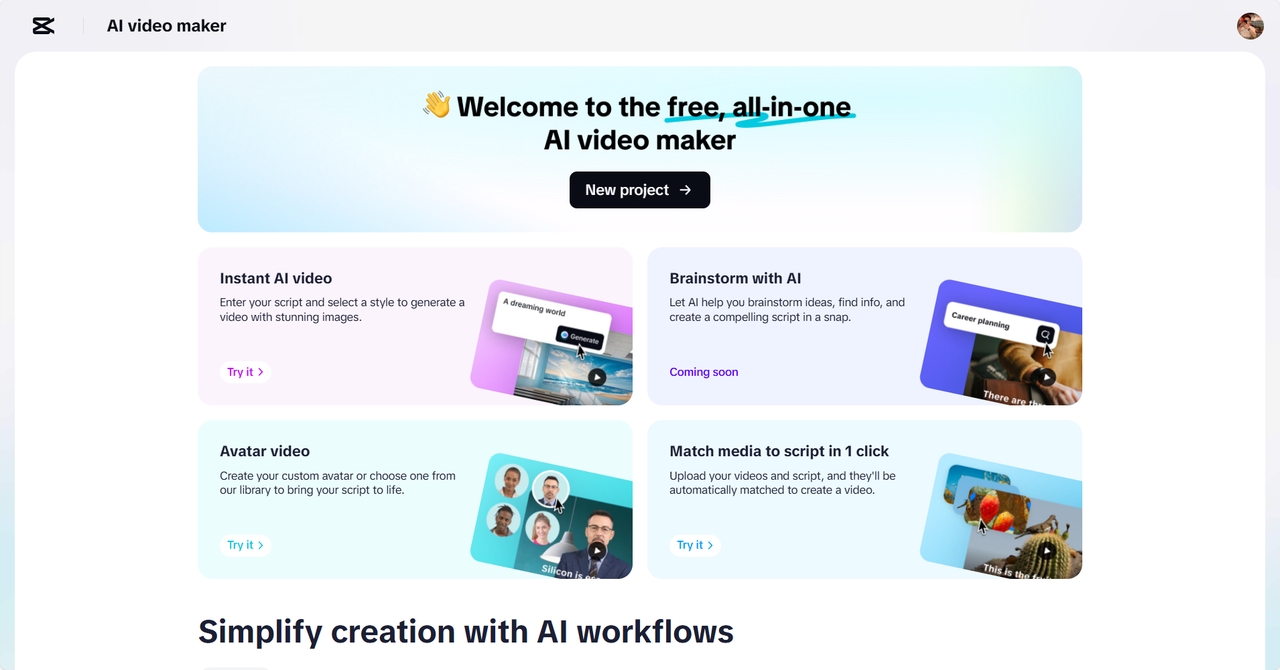
Slideshows are usually impersonal and stagnant. And you can make them into cinematic works of storytelling with CapCut Web. It is a one-stop AI-driven platform that enables you to create dynamic images from basic photo sequences. You no longer require the sophisticated editing abilities to create emotional depth and narrative structure in your slideshows.
Static to Story: Re-envisioning Slideshows
Traditional slideshows lack a visual rhythm. There is no emotional appeal due to static transitions and flat pacing. They are not always able to keep viewers engaged or convey their messages effectively. To take your slideshow to the next level, it is essential to incorporate visual storytelling. You can organise the visuals into a narrative flow with the help of the AI video editor CapCut Web. This film-like technique will boost interaction and increase recall of messages. Every slide becomes a scene, and your content becomes a journey.
AI to organise visual flow and transitions.
The CapCut Web also enables you to form the rhythm of your slideshow by using brilliant timing. The AI creates a storyboard-like structure of your visuals. This will guarantee a logical flow and visual consistency. Flow is improved by smooth transitions such as fade-ins and pan effects. The site incorporates AI to add transitions that are in tune with your visuals. Rather than harsh cuts, there is cinematic movement. One picture flows into another, creating emotional continuity. Using this approach, your slideshow becomes more of a movie than an online album.
Captions and Voiceovers that Create Emotion
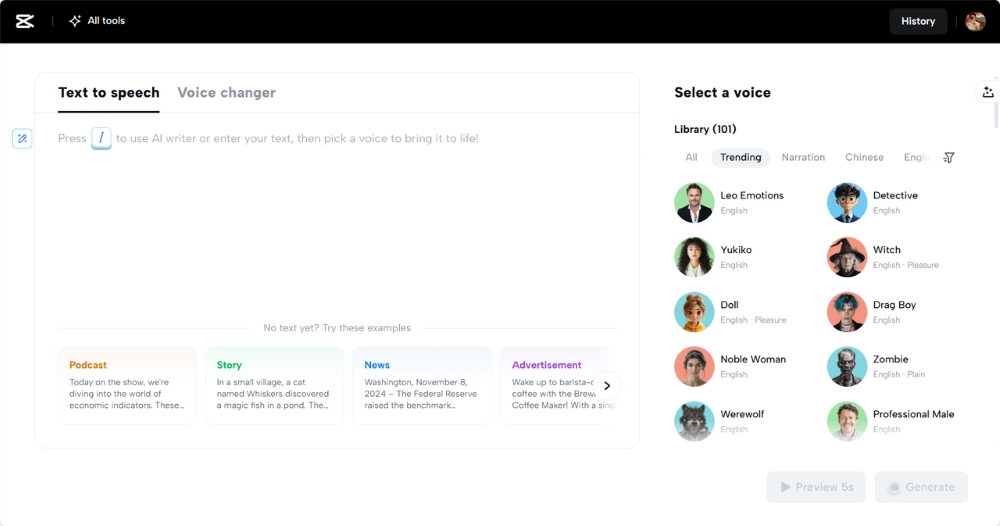
Cap Cut web is free to use and provides text to audio free tools that create voiceovers with realistic emotion. Select a tone that suits the mood of your content. The AI records tone and inflection, whether it is calm, passionate, or excited. Voiceovers enable you to direct the viewer and highlight important themes. Captions are strong as well. Captions may be synchronized with voice or music using CapCut Web. You will be able to time them to create emotional beats in the story. These overlapping items make your presentation talk not only with visuals but also with words.
Filters and Colour Grading to Boost Mood
Emotional storytelling requires visual tone. CapCut Web enables you to control colour grading and mood. Use warm colours on nostalgic slideshows or cooler colours on modern themes. It is also possible to align the visual tone with your event’s branding. Soft pastels are a good choice for weddings. Bold contrasts are worth attempting in marketing. The filters result in visual harmony, which makes your slideshow more professional. Light tones and accents make ordinary photographs into cinematographic images. With each slide having the same tone, the entire video will appear deliberate and polished.
Improve Audio Environment with AI Music
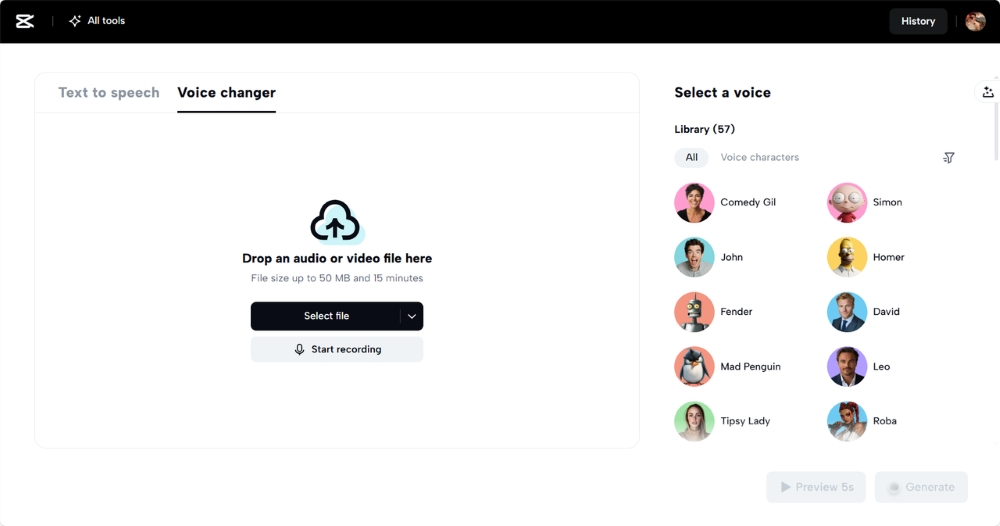
Music gives your slideshow depth in emotion. The CapCut Web provides background music that is created using AI and depends on the mood. Depending on your story, you may select ambient, dramatic, or upbeat songs. Adjust the volume so that the music is balanced with voiceovers using the volume control. Do not allow one to dominate over the other. Overdub with ambient sound. This may be nature sounds, urban backgrounds or gentle music. Such minor details make your slideshow realistic and character. To give your character, experiment with the voice changer to produce individual narrating voices.
Turn Slideshows into Stunning Visuals
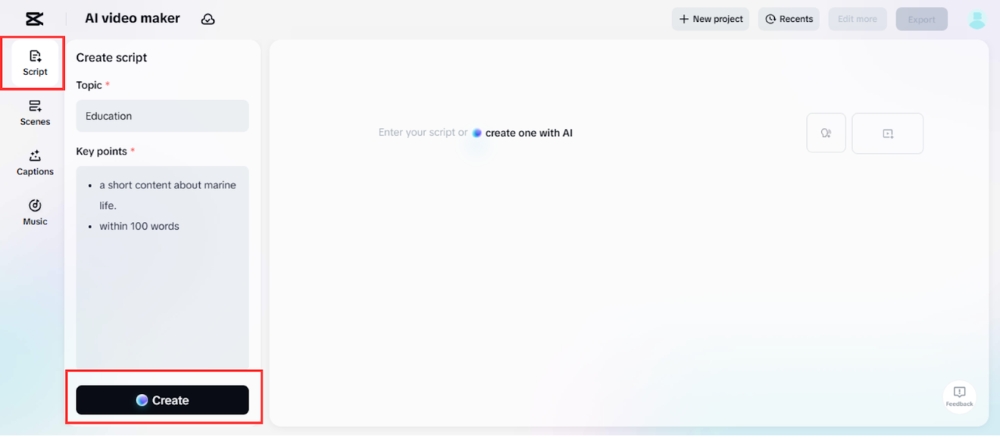
Step 1: Generate Script Kick things off in the “Script” section. Type in your slideshow “Topic” and list the “Key points” you want to emphasise. The AI turns your input into a clean, engaging narrative that supports your visuals. When you’re satisfied with the flow and tone, click the “Create” button to lock in the script.
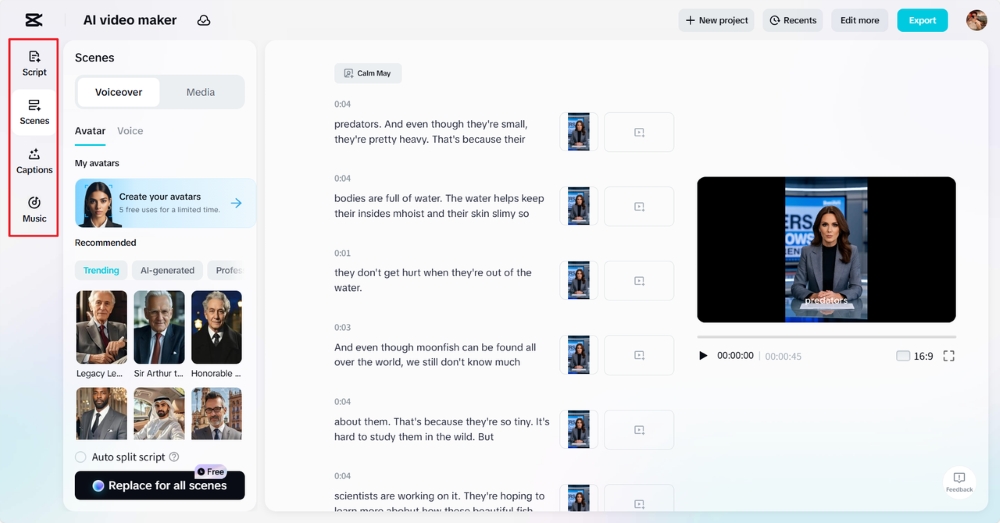
Step 2: Create a video Navigate to the “Scenes” tab to start building your video. Attach a voiceover and decide if you want to include an AI avatar to bring life to your content. If not, head directly to the “Voice” tab, pick a narrator, and hit “Apply for all scenes” for a consistent voice. Use the “Captions” tab to layer in animated subtitles. Finish the cinematic feel by choosing the right background track from the “Music” tab.
Step 3: Export or Edit more
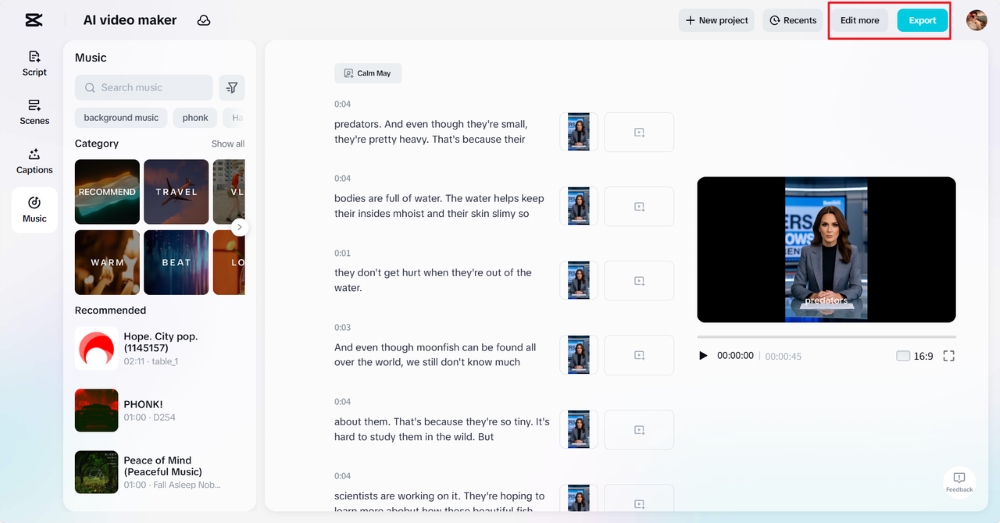
Watch the full video to see how your slideshow transforms. When ready, hit “Export” to save the final cut with your desired settings. Want to go a step further? Select “Edit more” to explore effects, transitions, and other tools that bring your visuals to life.
Conclusion
CapCut Web makes it easy to turn a basic slideshow into a cinematic story. With tools for voiceovers, transitions, mood filters, and AI-generated music, you can edit like a pro. You don’t need expert skills—just a vision and the right platform. CapCut Web brings your vision to life through intelligent video tools and a streamlined editing experience. Use it to craft slideshows that don’t just show photos, but tell unforgettable stories.
